
skyggn
video, music, photo and camera raw thumbnails for windows file explorer.
an open-source alternative to icaros: mkv, webm, flac, heic, raw photos, comics and 170 more file types get real thumbnails and details in windows 10 and 11.
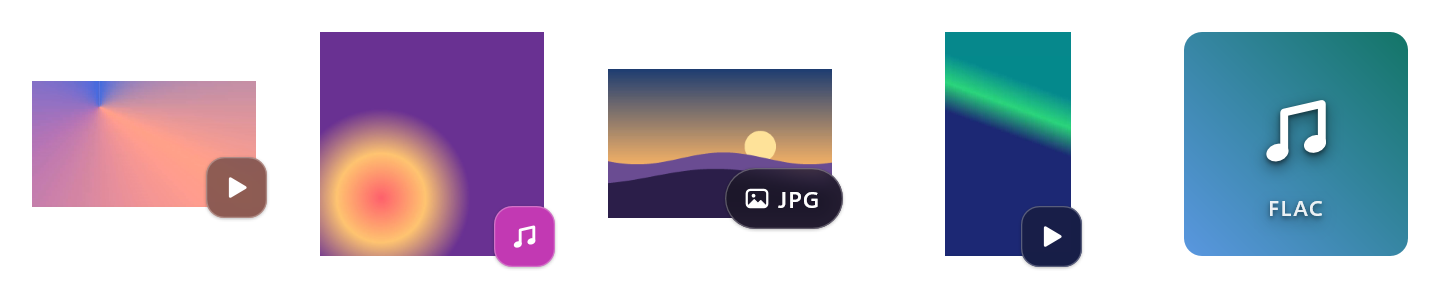
why windows shows no mkv, heic or raw thumbnails
windows only makes thumbnails for formats it has codecs for, so mkv and webm videos, flac songs, heic photos, camera raws, comics and many more show up in file explorer as plain icons, and explorer knows next to nothing about an mkv or an flv beyond its length.
that is why a folder of films shows blank or generic icons while your mp4s and jpegs show pictures: nothing is broken, and no setting in file explorer turns it on. windows 10 and 11 have no decoder for those formats, and the hevc video extensions and heif image extensions from the microsoft store cover only a part of them.
skyggn adds one thumbnail handler — a small shell extension — built on ffmpeg, libraw, libarchive and windows' own image codecs, so they all show real pictures: in file explorer, in open and save dialogs, and in every app that asks windows for thumbnails. for the formats windows describes poorly, it fills in explorer's details too.
what gets a thumbnail
🎬 video
a frame from the point you choose, black intros skipped, or the cover a video carries. hdr is tone-mapped, phone videos stand upright. mkv, mp4, webm, avi, mov, wmv, flv, m2ts and 38 more.
🎵 audio
the album cover from mp3, flac, ogg, opus, m4a, mka, wma, ape and more.
🖼️ images
heic (also the tiled ones phones make), avif, jpeg xl, webp, psd, exr, svg, dds, tga and the usual jpeg, png, gif and tiff.
📷 camera raw
canon, nikon, sony, fujifilm, panasonic, olympus, pentax, leica, sigma, hasselblad, phase one and more: cr2, cr3, nef, arw, raf, rw2, orf, dng and 30 others.
📚 comics and e-books
a comic's first page (cbz, cbr, cb7, cbt), an e-book's cover (epub).
📄 documents and design files
a pdf's first page, the preview libreoffice saves in odt, ods, odp and odg, and the preview illustrator (ai), eps and indesign (indd) files carry.
what else it does
📋 details in explorer
length, frame size, frame rate, bit rates, codecs, audio and subtitle tracks with their languages, chapters, artist and album, for flv, ape, wavpack, rmvb, divx and over 30 other formats windows leaves blank.
🏷️ badges and tiles
a small mark tells video, music and photos apart at a glance: three styles, any corner, any size, or none. a song without a cover gets a tile in a colour made from its contents, so copies match whatever their names.
🪶 light
no background process, no tray icon, no service. windows runs skyggn only while it makes a thumbnail, and keeps the result, so each file costs once. gentle mode uses a single core, so games keep the rest.
↩️ clean exit
every file type gets its previous thumbnails back when you turn it off or uninstall.
install
- download
skyggn-<version>-x64-setup.exefrom the latest release. - run it. windows smartscreen asks first, because the setup is not code-signed: click more info, then run anyway.
- allow the admin prompt once. the setup turns skyggn on for the recommended file types, for every user of the pc.
- open a folder with videos or music. thumbnails windows already had keep their old look until you click refresh thumbnails in the skyggn app.
to remove it: settings > apps > installed apps > skyggn > uninstall.
questions
why are mkv or webm thumbnails not showing in windows 11 file explorer?
windows has no codec for them. install skyggn and they get a frame from the video, or the cover the file carries.
why does flac, ogg or mka cover art not show in explorer?
skyggn shows the album cover embedded in the file, for mp3, flac, ogg, opus, m4a, mka, wma, ape and more; a song without one gets a tile.
why do heic, avif or camera raw photos show only icons?
skyggn shows them without extra codecs from the microsoft store: heic and avif through ffmpeg, raws (cr2, cr3, nef, arw, raf, dng…) from the preview the camera embedded.
no thumbnails at all, not even for jpegs and mp4s?
then it is windows itself, and skyggn is not the fix: check folder options > view for "always show icons, never thumbnails", and clear windows' thumbnail cache. skyggn only adds the formats windows has no codec for; the ones it already handles keep working as before.
do i need a codec pack or extensions from the microsoft store?
no. skyggn brings its own decoders, so mkv, webm, flac, heic, avif and camera raw get thumbnails without a codec pack and without the hevc video extensions or heif image extensions. it installs no system codec, and nothing changes about how your media player plays files.
is skyggn an alternative to icaros?
yes. icaros is free but closed source; skyggn is open source (gpl-3.0), with a settings app in windows 11's own style, and it gives every file type its previous thumbnails back when it is turned off or uninstalled.
will it slow down my pc or games?
no service and no background process: windows runs skyggn only while it makes a thumbnail. gentle mode (on by default) makes each one on a single processor core, so games and other programs keep all the others.
why do thumbnails still have the old look after a change or an update?
windows keeps the thumbnails and icons it made in its thumbnail cache. click refresh thumbnails in the skyggn app; file explorer closes for a moment and makes them again as you browse.
does it work on windows 10?
yes, windows 10 and windows 11, 64-bit. the settings app follows windows 11's own style, and the thumbnail handler is the same on both.
more
the readme has the measured speed per thumbnail, the
full list of file types, the settings, the skyggnctl command line tool and how to build from
source. changes are in the changelog,
and bugs and ideas go to issues.